How I Built a Bilingual Next.js App with Subdomain-Based i18n (No Library Needed)
I recently added full Chinese + English support to a Next.js 16 App Router project — a vocal training app called Daily Vocal Plan. The setup uses subdomains (cn.example.com / en.example.com) instead of path prefixes (/zh/... / /en/...), and I deliberately avoided heavy i18n libraries like next-intl or i18next.
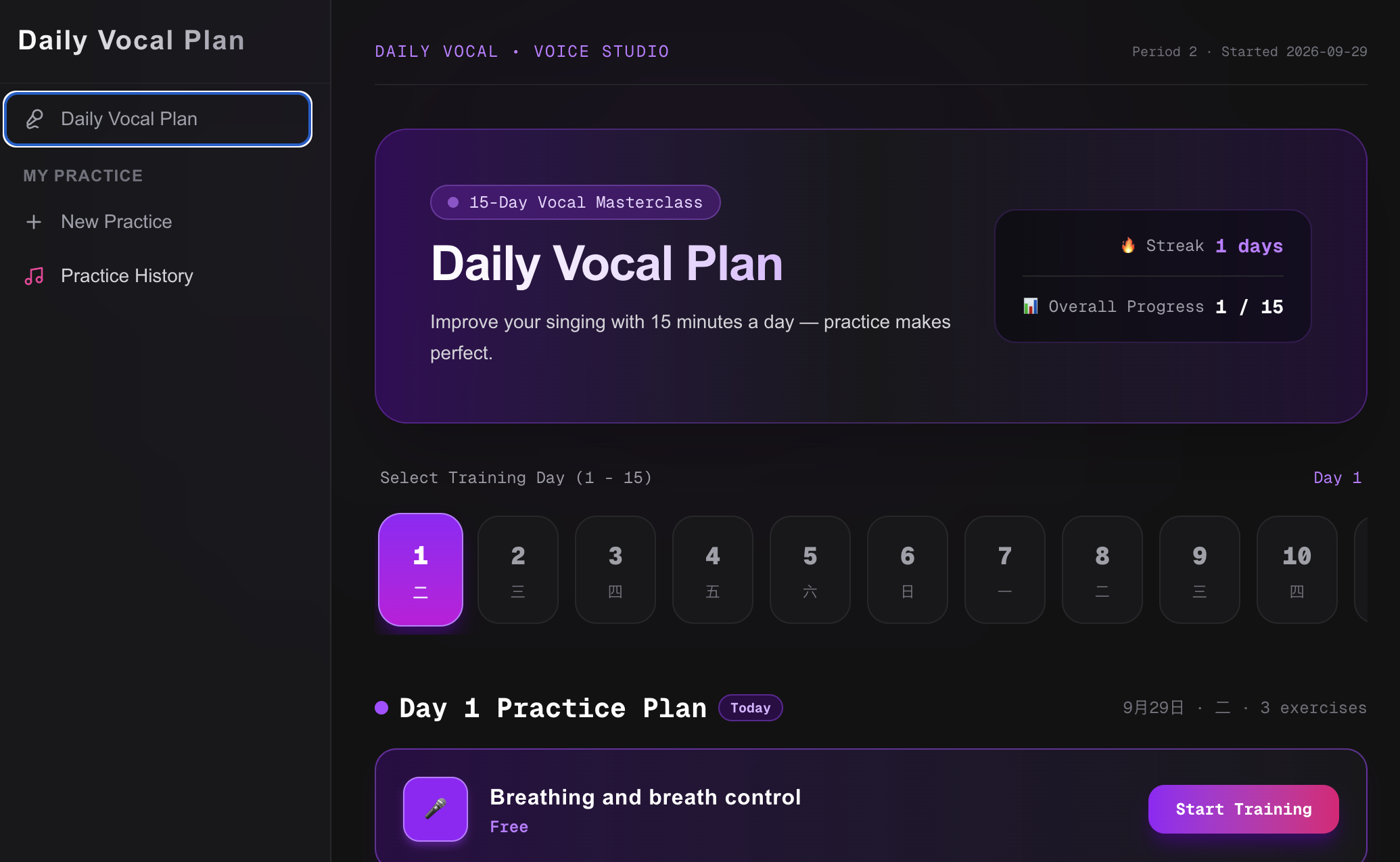
This post is a full write-up of how it works, why I chose this approach, and the gotchas I hit along the way.
Why Subdomains Instead of Path Prefixes?
Both approaches are valid. I chose subdomains because:
- Cleaner SEO — Each language gets its own domain, its own sitemap, its own Search Console property.
cn.example.comanden.example.comcan be indexed independently withouthreflangcomplexity. - No URL collisions — My internal routing doesn't have to worry about whether
/practicemeans/zh/practiceor/en/practice. - Easier CDN — Vercel handles per-domain caching cleanly.
- Future expansion — Adding Japanese is just
ja.example.com, no refactor of the route tree.
The trade-off: you can't switch language without changing the domain. But for a content-driven app like this, that's acceptable.
The Architecture
Four files make the whole thing work:
lib/
  i18n.ts           → messages + locale detection
  i18n-server.ts    → server-side helper
  i18n-client.ts    → client-side hook
proxy.ts            → injects x-locale header
app/
  layout.tsx        → reads locale, renders correct metadata
No external i18n library. No JSON bundles. No useTranslation provider.
1. The Message File
Everything lives in one TypeScript object:
// lib/i18n.ts
export const locales = ['zh', 'en'] as const
export type Locale = typeof locales[number]

export function getLocaleFromHost(host: string): Locale {
    if (process.env.NODE_ENV === 'development') {
        const forced = process.env.NEXT_PUBLIC_FORCE_LOCALE
        if (forced === 'zh' || forced === 'en') return forced
    }

    if (host.startsWith('cn.')) return 'zh'
    if (host.startsWith('en.')) return 'en'
    return 'zh'
}

export const messages = {
    zh: {
        layout: {
            title: '',
            description: '',
        },
        auth: {
            welcomeBack: '',
            sendCode: '',
            // ...
        },
        // ...
    },
    en: {
        layout: {
            title: '10 minutes per day, daily voice training with AI...',
            description: 'By practicing the daily voice opening AI training program...',
        },
        auth: {
            welcomeBack: 'Welcome Back',
            sendCode: 'Send Verification Code',
            // ...
        },
        // ...
    },
} as const

export type Messages = typeof messages.zh

export function format(
    template: string,
    vars: Record<string, string | number>
): string {
    return template.replace(/\{(\w+)\}/g, (_, key) => String(vars[key] ?? ''))
}
Why as const? It gives you full TypeScript inference. If you typo t.auth.welcomeBack as t.auth.welcomBack, TS will error. No runtime surprises.
Why not JSON? JSON doesn't give you autocomplete, and you lose the ability to define functions as message values (which I use for {count} interpolation).
2. The Proxy (formerly Middleware)
Next.js 16 renamed middleware.ts to proxy.ts. If you're on 16+, use proxy. If you're on 15 or earlier, use middleware.
// proxy.ts
import { NextResponse, type NextRequest } from 'next/server'
import { updateSession } from '@/lib/supabase/middleware'
import { getLocaleFromHost } from '@/lib/i18n'

export async function proxy(request: NextRequest) {
    const host = request.headers.get('host') || ''
    const locale = getLocaleFromHost(host)

    // 1. Let Supabase refresh its session cookies
    const supabaseResponse = await updateSession(request)

    // 2. Inject x-locale into the downstream request
    const requestHeaders = new Headers(request.headers)
    requestHeaders.set('x-locale', locale)

    const response = NextResponse.next({
        request: { headers: requestHeaders },
    })

    // 3. Copy Supabase's cookies over
    supabaseResponse.cookies.getAll().forEach((cookie) => {
        response.cookies.set(cookie)
    })

    return response
}

export const config = {
    matcher: [
        '/((?!_next/static|_next/image|favicon.ico|.*\\.(?:svg|png|jpg|jpeg|gif|webp)$).*)',
    ],
}
Key insight: NextResponse.next({ request: { headers } }) is what propagates the header to Server Components. Without it, headers() in the page will not see x-locale.
3. Server-Side Helper
For Server Components and generateMetadata:
// lib/i18n-server.ts
import { headers } from 'next/headers'
import { messages, getLocaleFromHost, type Locale } from './i18n'

export async function getServerLocale(): Promise<Locale> {
    const headersList = await headers()
    const host = headersList.get('host') || ''
    return getLocaleFromHost(host)
}

export async function getServerMessages() {
    const locale = await getServerLocale()
    return { locale, t: messages[locale] }
}
Note: I read host directly instead of x-locale — it's more robust if proxy fails for some reason.
Usage in a Server Component:
export default async function Page() {
    const { locale, t } = await getServerMessages()
    return <h1>{t.home.heroTitle}</h1>
}
4. Client-Side Hook
For Client Components:
// lib/i18n-client.ts
'use client'

import { useEffect, useState } from 'react'
import { messages, getLocaleFromHost, type Locale } from './i18n'

export function useLocale(): Locale {
    const [locale, setLocale] = useState<Locale>('zh')

    useEffect(() => {
        setLocale(getLocaleFromHost(window.location.host))
    }, [])

    return locale
}

export function useMessages() {
    const locale = useLocale()
    return { locale, t: messages[locale] }
}
Client Components can't use headers(), so we read window.location.host in useEffect.
5. Dynamic Metadata
generateMetadata in app/layout.tsx produces per-language SEO tags:
export async function generateMetadata(): Promise<Metadata> {
    const { locale, t } = await getServerMessages()

    const baseUrl = locale === 'zh'
        ? 'https://cn.example.com'
        : 'https://en.example.com'

    return {
        title: t.layout.title,
        description: t.layout.description,
        keywords: t.layout.keywords,
        alternates: {
            canonical: baseUrl,
            languages: {
                'zh-CN': 'https://cn.example.com',
                'en-US': 'https://en.example.com',
            },
        },
        openGraph: {
            title: t.layout.title,
            description: t.layout.description,
            url: baseUrl,
            locale: locale === 'zh' ? 'zh_CN' : 'en_US',
            type: 'website',
        },
    }
}
The alternates.languages object automatically generates hreflang tags in the <head>, which is the modern replacement for <meta http-equiv="content-language">.
The Gotchas
1. Supabase Email Templates Don't Follow Locale Automatically
Supabase's auth emails (magic links, OTP codes) are rendered server-side by Supabase, not by your app. They don't know whether the user is on cn. or en..
The fix: pass the locale as user metadata:
await supabase.auth.signInWithOtp({
    email,
    options: {
        shouldCreateUser: true,
        data: { locale: 'en' },
    },
})
Then in Supabase Dashboard → Authentication → Email Templates → Magic Link:
{{ if eq .Data.locale "zh" }}
  <h2>您的登录验证码</h2>
  <!-- ... -->
{{ else }}
  <h2>Your Login Verification Code</h2>
  <!-- ... -->
{{ end }}
Subtle bug: For already-registered users, Supabase ignores the data field. It only writes it on user creation. So existing users whose metadata lacks locale will always get the default branch.
The fix: after successful login, update the user:
await new Promise(resolve => setTimeout(resolve, 500))  // wait for session
await supabase.auth.updateUser({ data: { locale } })
Then, on their next OTP request, Supabase will read the new metadata and send the correct language.
2. headers() Returns a Promise in Next.js 15+
In Next.js 15 and later, headers() from next/headers is async:
// ❌ Old
const headersList = headers()

// ✅ New
const headersList = await headers()
If you're migrating from 14, this is a common break.
3. as const Will Block Dynamic Keys
With as const on the messages object, you can't do:
const key = 'welcomeBack' as string
t.auth[key]  // ❌ Type error
You need explicit casts:
const key = 'welcomeBack'
t.auth[key as keyof typeof t.auth]  // ✅
For dynamic keys coming from external data (like a DB row), I cast the whole t object:
const levelKey = 'levelBasic'   // comes from DB
const label = (t.newPractice as any)[levelKey]
It's ugly, but it only appears in a couple of places.
What I'd Do Differently
- Extract a
<T>helper for dynamic keys instead of spreadingas any. - Move
i18n.tsinto a package if more apps need it. Right now it's a local file. - Add a
jalocale just to test that expansion is zero-effort. (It is — just add the object and a host check.)
Final Thoughts
You don't need next-intl or i18next for a two-language app. A single messages object, a proxy.ts, and two small helpers are enough.
The approach scales cleanly to 3-5 languages. Beyond that, a proper library starts paying for itself in tooling (translation management, plural rules, date formatting).
For now, this is ~200 lines of code total, with full TypeScript safety and zero runtime dependencies.
If you're building something similar, or if you've found a simpler pattern, I'd love to hear about it.